What is the Custodian e-Card?
The digital Lifetime Custodian e-Card contains vital retrieval information (such as the Custody ID and Trustee contact details). Your client, their Executors, and Beneficiaries will need this card to locate and retrieve the original Will in the future.
Prerequisite
The e-Card is only generated after the Trustee Service registration has been successfully processed. You will receive an email notification from the Koha Digital platform after the Trustee Partner marks the registration as Completed, signifying the card is ready.
How to Retrieve and Forward the e-Card:
-
Go to your Client's Profile, scroll down to Last Generated Documents and click on More Options Icon [⁝] under the Will column.
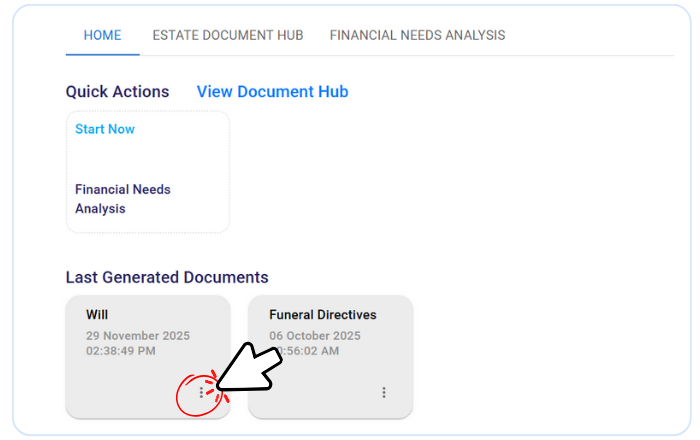.png)
-
Click Edit, a Will tab will appear. Scroll down to Add-on and select Trustee Services.
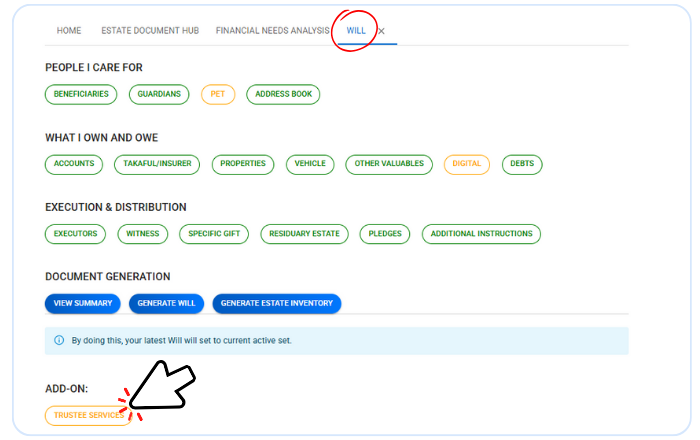.png)
-
Look for the Lifetime Custody Service in the List of Services. Click on the Green Link Icon [🔗] located next to the service name.
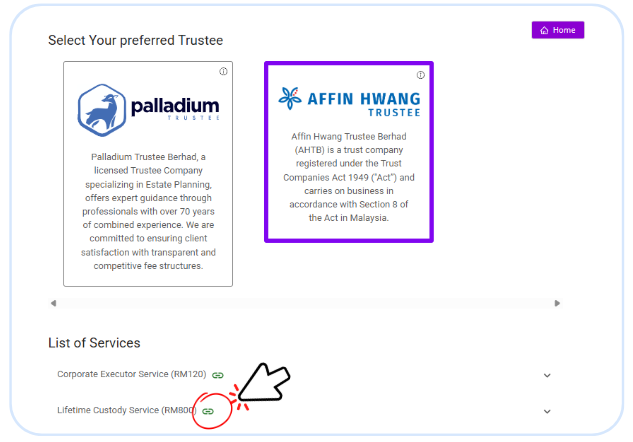
-
There you will see the digital e-Card document. (Note: If the page appears empty with no card, the registration may still be in progress)
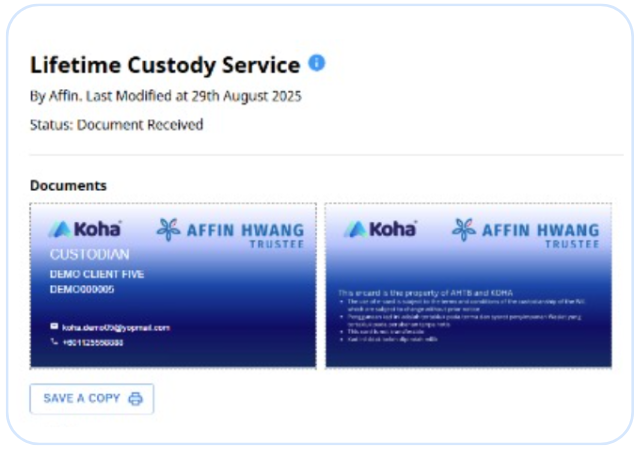
-
Click "Save a Copy" to download it to your device.
-
Send the saved file to your client. Advise your client to share this card with their Executor and Beneficiaries for safekeeping.